
Tinder Photo Verification Failed? How to Fix It in 2026
Tinder photo verification failed? The official rejection reasons, step-by-step fixes, retry rules, under-review timelines, privacy details, and why AI photos cannot prove a live face.
ON THIS PAGE
Your face is in the frame. The light looks fine. You press record, follow the dots, and thirty seconds later Tinder says the verification failed. It is one of the most frustrating loops in online dating, because the app rarely tells you which part of the check failed or how to fix it.
Most advice treats this as a lighting problem. Sometimes it is. But Tinder's public help page lists five rejection reasons, and only two are really about the camera. The others are about framing, expression and the relationship between your video selfie and your profile photos. If you fix the wrong variable, you can retry all night and get the same result.
This guide separates what Tinder, Bumble and Hinge publish from what users infer. It covers the official rejection reasons, a ten-minute pre-retry checklist, what "under review" actually means, how to handle a changed appearance, and the question that brings many people here: can an AI photo pass? The short answer is that a still image was never the thing being verified. A live capture is.
Platform help pages change, and support queues are not transparent. The sources here were checked on 30 October 2026. This is practical information, not legal advice.
#The Short Answer
If you only have two minutes, do these five things:
- Update your profile photos to clear, current, solo, unfiltered shots.
- Face a window, not a backlight, and clean the front camera.
- Fill the frame with your face, at eye level, with a neutral expression.
- Remove sunglasses, hats, masks and heavy filters; tie hair back if it crosses your face.
- Retry once. If it fails again, stop and read the rejection pattern before another attempt.
| What you see | Most likely cause | First fix |
|---|---|---|
| "Verification failed" immediately | Camera permission, app version or connection | Allow camera access, update the app, switch network, restart |
| Face not accepted | Face too small, too close, cropped or turned | Fill 60–80% of the frame, face the camera, keep your whole head visible |
| Video looks dark or blurry | Backlight, low light, dirty lens or movement | Face a window, clean the lens, brace the phone, record again |
| "Person did not match" | Old, filtered or different-looking profile photos | Replace the primary photo with a current, unfiltered solo shot |
| Stuck on "under review" | Manual review or a likeness mismatch | Wait 48 hours, keep photos stable, then contact support |
| Keeps failing despite a clean video | Glasses glare, changed appearance or a profile-photo mismatch | Fix the photo set before recording another video |
The pattern matters more than the number of attempts. A second identical video is not a new experiment.
#What Tinder Actually Checks
Tinder uses three related flows, and the names are easy to mix up.
Photo Verification is the optional badge flow. You record a short video selfie, Tinder checks that the video was taken by a real, live person and was not digitally altered or manipulated, and then compares your facial geometry with the face in your profile photos. If the faces match, you get a Photo Verified badge.
Photo Check is the flow Tinder may require when its automated safety systems or human moderators detect unusual activity. The help centre describes it as a way to unlock an account and resume normal use. It uses the same basic idea: a video selfie, a liveness check and a comparison with your profile photos. Tinder says a successful Photo Check can also produce a Photo Verified badge.
Face Check is the stronger, mandatory flow in regions where Tinder requires it. Tinder's October 2025 announcement described a 3D video scan that confirms the person is real and physically present, checks that the face matches the profile photos and looks for the same face across accounts. It is aimed at duplicate accounts and reused faces as much as at a single fake profile.
The important distinction is between liveness, likeness and duplication:
- Liveness asks whether a real person is present now, rather than a pre-recorded clip, a mask or a screen.
- Likeness asks whether the face in the video matches the face in the photos.
- Duplication asks whether the same face is being used across multiple accounts.
Tinder's published checks are built around those three questions. They are not a general-purpose AI-image detector for still photos. That is why "Tinder can detect AI" and "Tinder cannot detect AI" are both misleading. Tinder can detect that the person in the video is not the person in the photos. It does not publish whether it can tell that a still portrait was generated rather than photographed.
Tinder also does not publish its matching threshold. No one outside the company can promise that a particular face will pass. The useful question is not "is there a secret detector?" but "which of the three checks is my capture failing?"
#The Five Official Rejection Reasons
Tinder's Photo Verification help page lists five reasons a submission can be rejected. They are worth reading closely, because each one points to a different fix.
#1. Your face is not prominent in the frame
If your head is small, off-centre or partly outside the crop, the system has less geometry to compare. A wide shot of you in a room is a bad verification frame even if it is a good profile photo.
Fix: Hold the phone at eye level, about 40–60 cm away, and fill roughly 60–80% of the frame with your head and shoulders. Do not use digital zoom; it softens the image. Keep your whole head visible, including the hairline and chin.
#2. Your face is blocked or obscured
Sunglasses, a hat, a mask, a hand, hair across the eyes or a strong reflection can all hide the features the check needs. So can a phone case that covers the lens or a fingerprint on the glass.
Fix: Remove anything that covers your face. Tie long hair back, move a fringe to the side, clean the lens and check that the camera is not looking through a dirty case. If you wear glasses, clean both sides of the lenses and tilt your head slightly to move the reflection. Do not switch to contact lenses only for the video if your profile photos show you in glasses; consistency is the point.
#3. You did not hold a neutral expression
A big smile, a raised eyebrow, a wink or a surprised face changes the geometry. Tinder's own wording is "lack of neutral facial expression." The check is not judging whether you look friendly. It is trying to compare a stable face.
Fix: Relax your forehead and jaw, close your mouth, look straight into the camera and hold still for the full capture. Count to three silently. If the app asks you to move your head, follow the prompt slowly rather than anticipating it.
#4. The video was not bright or clear
Backlight is the classic failure. A window behind you turns your face into a silhouette. A dim room adds noise. A moving phone adds blur. A smeared lens softens every edge.
Fix: Put the light source in front of you, not behind you. Face a window during the day or use a soft lamp at eye level. Avoid direct sun, which makes you squint and casts hard shadows. Brace the phone on a shelf or tripod, or hold it with both hands. Record in a quiet, stable moment rather than while walking.
#5. The person in the video did not match the profile photos
This is the failure that sends people in circles. The video may be perfectly lit and framed, but if the face does not match the photos Tinder is comparing it with, the check fails.
The mismatch can be innocent: an old photo, a different hairstyle, a new beard, weight change, ageing, glasses, a filter that changed your jawline, or a photo taken from an angle that makes your face look narrower. It can also be deliberate: someone else's photo, a generated face or a heavily edited image.
Fix: Update the profile photos before you retry. Keep at least one clear, solo, front-facing, unfiltered photo that looks like you now. Remove group photos and heavy edits from the top of the profile. If your appearance has changed, use the new appearance; do not try to force the system to accept an old face.
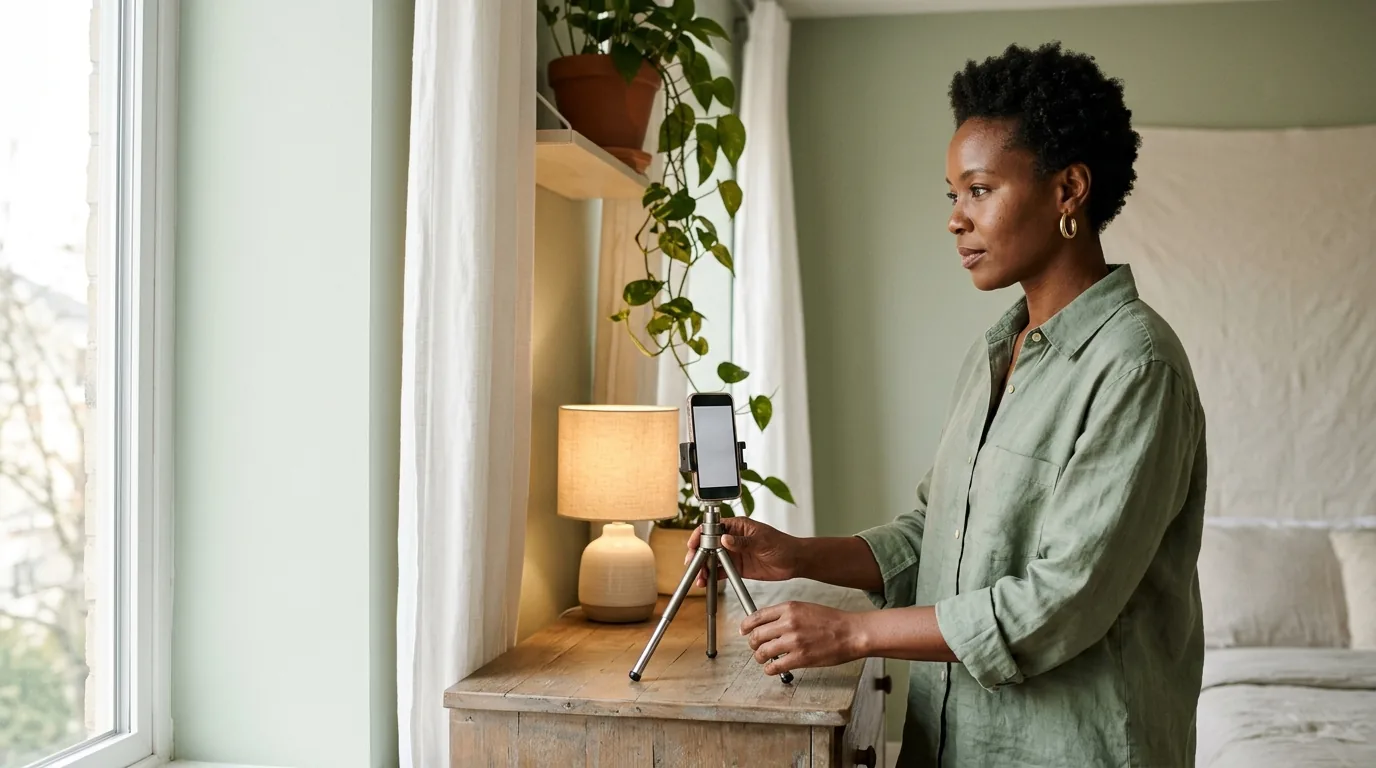
#The Ten-Minute Pre-Retry Checklist
Before you record again, run this list in order. It is deliberately boring. Most successful retries are boring.
- Use a current primary photo. Front view, solo, in focus, no heavy filter. If the first photo is a group shot, a travel shot from 2019 or a heavily retouched portrait, replace it.
- Check the face-to-frame ratio. Your head and shoulders should fill most of the frame. If the app shows a guide, fit your face inside it without cropping your hairline or chin.
- Put the light in front. A window, a ring light or a soft lamp should illuminate your face. A bright window behind you is a silhouette generator.
- Clean the lens. Wipe the front camera with a microfibre cloth. A surprising number of "blurry video" failures are a fingerprint.
- Stabilise the phone. Prop it on a shelf, use a tripod or hold it with both hands at eye level. Do not record while walking.
- Clear your face. No sunglasses, hat, mask, hand or hair across the eyes. If you wear glasses, manage the glare rather than hiding it.
- Use a neutral expression. Relax your face, close your mouth and look at the lens. Follow the app's movement prompt slowly.
- Remove beauty filters and camera effects. Smoothing, face reshaping and colour filters can change the geometry the system is comparing.
- Check permissions and app version. Allow camera access, update the app, restart the phone and try a stable connection.
- Choose a quiet background. A plain wall is ideal. Avoid other faces, mirrors, televisions and busy scenes behind you.
If you have done all ten and the same error appears twice, the problem is probably not the capture. It is the photo set, the account state or a support issue.
#Step by Step: How to Retry Properly
#Step 1: Fix the photos before the video
The verification compares two things: the live capture and the profile photos. Recording a better video cannot fix a profile photo that no longer looks like you. Replace the first photo with a clear, current, solo face shot. Keep the rest of the profile varied, but make sure at least one image is an easy, unambiguous likeness.
#Step 2: Remove the obvious mismatch
Take out the photo with the heavy filter, the old photo from a different era, the group shot where your face is small and the picture that shows a different hairstyle or facial hair. You do not need a professional headshot. You need a photo that a stranger could use to recognise you in a queue.
#Step 3: Start the flow from your profile
Open your profile, tap the verification prompt or the grey check mark, allow camera access and read the on-screen instructions. Do not start the capture in a hurry. The flow usually tells you whether it wants a neutral face, a head turn or a specific framing.
#Step 4: Record one clean take
Use frontal light, a stable phone and a plain background. Fill the frame, hold a neutral expression and follow the prompt. If you make a mistake, exit the flow and start again rather than submitting a take you know is weak.
#Step 5: Wait before trying again
If the result is "under review," wait. If it is a clear rejection, read the reason and change the relevant variable. Do not submit the same video three times in a row. Tinder does not publish a retry cap, but repetition without a change is just noise.
#Step 6: Escalate with evidence
If two clean attempts fail, contact support. Include your account email or phone number, device model, operating system, app version, the time of the attempt, a screenshot of the error and a short description of what you changed. Ask for a human review. Do not open a second account; that can turn a verification problem into a terms problem.

#"Under Review" and "Taking Forever"
A verification that sits on "under review" is not the same as a rejection. It means the system has not produced a final answer. The delay can come from a manual review, a high support volume, a likeness mismatch that needs a second look or an account-level safety flag.
Tinder does not publish a guaranteed review time. Its help centre explains the process but does not promise that every check will finish in a fixed number of minutes. Many users report quick results; others wait much longer. The honest answer is that the public record does not support a precise timeline.
A practical escalation rule: if the status has not changed after 48 hours, contact support. That is not an official Tinder promise. It is a reasonable point to ask a human to look, especially if the app is blocking normal use.
The other apps publish slightly clearer expectations:
| App | What the help centre says | Practical next step |
|---|---|---|
| Tinder | No guaranteed review time published | Wait 48 hours, keep photos stable, then contact support |
| Bumble | Verification is usually confirmed or rejected within a few minutes | Check the pose, lighting and profile photo; up to three attempts |
| Hinge | Selfie Verification can take up to 24 hours | Wait 24 hours, then contact support; support cannot manually verify for you |
Do not delete your account and start again while a review is open. Do not create a second account to "test" the system. Do not pay a third-party service that promises a badge. Those moves can violate the platform's terms and make the original problem harder to resolve.
#Why It Keeps Failing: The Edge Cases
#Glasses
Glasses are a common failure because they create three problems at once: glare, frames over the eyes and lens distortion at the edges. Clean the lenses, tilt your head a few degrees to move the reflection, and use a light source that is not directly in front of the glass. If your profile photos show you in glasses, keep them on for verification. If they show you without glasses and you can see clearly without them, consistency may be easier. Do not wear sunglasses.
#Facial hair, hair and makeup
A new beard, a shaved head, a different hair colour, a fringe or heavy makeup can all move the face away from the profile photos. The system is comparing geometry, not style. Update the photos to match your current look. If you are growing or trimming a beard, verify after the change rather than before.
#Weight change, ageing, surgery and transition
A face match is sensitive to real changes in face shape. Weight loss or gain, ageing, facial surgery, a transition, a new glasses prescription or a long period between photos can all create a mismatch. The answer is not to find an old photo that still passes. It is to update the photo set and verify with your current face.
If the system still fails, contact support and say that your appearance has changed. You do not need to disclose private medical details. Ask for a human review and provide a current, clear photo. Anyone who asks for your login credentials, a payment or a "verification fee" is not support.
#Camera distortion and framing
A phone held too close uses a wide-angle lens and makes the nose look larger and the face narrower. A phone held too far makes the face too small. A tilted phone changes the jawline. The fix is simple: eye level, arm's length, no digital zoom, whole head in frame.
#Multiple faces and busy backgrounds
A poster, a mirror, a television or a friend in the background can confuse a face detector even when the main subject is clear. Use a plain wall and make sure you are the only person in the frame. If you are in a shared space, move.
#App, permissions and account state
If the camera permission is off, the app is outdated or the connection drops mid-upload, the flow can fail before any face comparison happens. Update the app, restart the phone, switch between Wi-Fi and mobile data, and check whether your account is under a separate restriction. A verification problem and a ban are not the same thing, but they can look similar from the user's side.
#Bumble and Hinge: Similar Goal, Different Rules
The three apps solve the same trust problem in different ways. The details matter if you are troubleshooting more than one account.
#Bumble
Bumble's Photo Verification asks for a selfie when prompted, not a full video selfie. You have to mimic the pose and hand gesture shown on screen. The app uses a mix of automated and human review to check that the selfie matches the photos in your profile.
Bumble's help centre says Photo Verification is mandatory in the USA, optional elsewhere unless Bumble requests it for safety reasons, and usually confirmed or rejected within a few minutes. You get up to three attempts. After that, contact support. The selfie is stored with your other photos but is not shown on your profile.
The most common Bumble failures are fixable:
- The pose or hand gesture did not match the prompt.
- The face was not fully visible or the lighting was poor.
- The profile had no clear, unobstructed, full-face photo to compare.
- Camera permission was denied, the app was outdated or the upload stalled.
Bumble also warns that if you use all three attempts and cannot access your account, an active subscription will not renew and you can request a refund. Subscriptions bought through Apple are handled by Apple.
#Hinge
Hinge's Selfie Verification is voluntary in many regions, but it uses a video selfie and a stronger two-step check: a liveness check to confirm a real person is recording, and 3D face authentication to compare the video with your profile photos.
Hinge's published requirements are strict:
- At least one profile photo must show your face from the front.
- The photo should be crisp, unfiltered, solo and in focus.
- The background should be a plain-coloured wall.
- Do not wear sunglasses.
- Do not crop any part of your face or head.
- Do not upload a photo of an existing photograph.
- Do not stand too far from the camera.
Changing your photos after verifying may result in a loss of verification. If that happens, adjust the photos and retry. Hinge says its support team cannot manually verify a photo on your behalf.
Hinge's selfie verification can take up to 24 hours. The facial geometry template is normally deleted within 24 hours, and the video selfie is not kept, but Hinge keeps three screenshots for auditing. In regions where Face Check is required, the facial geometry data is retained for the life of the account and is used to detect duplicate faces.
#The comparison
| Tinder | Bumble | Hinge | |
|---|---|---|---|
| Capture | Video selfie | Prompted selfie with pose and gesture | Video selfie |
| Liveness check | Yes | Pose and gesture, plus review | Yes |
| Face match | Yes | Yes | Yes, with 3D face authentication |
| Published attempts | No cap published | Up to 3 | No fixed count published |
| Published timing | No guarantee | Usually a few minutes | Up to 24 hours |
| Changing photos | May require re-verification | Can affect verification | May lose the badge |
| Manual support | Can review | Can review after attempts | Cannot manually verify |

#Can AI Photos Pass Tinder Verification?
This is the question behind a lot of the search traffic, so it deserves a precise answer.
A still AI photo does not "pass" verification. Tinder verifies a live video selfie. The video is checked for liveness and then compared with your profile photos. The still image is the reference, not the thing being proven live.
That produces three cases:
- A generated face that is not yours. It will fail a face match, and using it is a deception problem even before verification. This is the case the rules are aimed at.
- An AI-assisted portrait that still looks like you. It may pass a likeness comparison because the geometry is yours. But it is still a still image; the live video is what proves presence. Whether the photo is allowed depends on the platform's rules about representation, not on whether the detector can spot the tool.
- A real-time deepfake built to spoof the liveness check. This is a different technical attack, not a profile photo. It is prohibited, risky and outside anything a legitimate photo guide should help with. If someone offers to "pass verification" for you, assume it is a scam or a terms violation.
The practical rule is simple: use AI to improve a photo of yourself, not to invent a person. Keep the unedited original. Make sure the face in the photo still matches your live face. Do not use the same generated face across multiple accounts. And verify with your real face, in real time, because that is the one thing the system is actually designed to check.
For the wider question of what dating apps detect, see our guide to AI photo detection on Tinder, Bumble and Hinge. For the platform rules and labeling law, see where AI photos are allowed.
#Privacy: What Happens to Your Video Selfie
Verification asks for biometric data, so it is fair to ask what is kept. The three apps publish different answers.
| App | What is kept | How long |
|---|---|---|
| Tinder | Original video selfie assessed and promptly deleted; two audit images; FaceMap and FaceVector | FaceMap and FaceVector for the life of the account, deleted within 30 days of closure; results 90 days after closure or 1 year if banned; audit images 90 days |
| Bumble | Verification selfie stored with your other photos; not shown on your profile | Per Bumble's privacy policy and legitimate-interests basis |
| Hinge | Video selfie not kept; three screenshots; facial geometry template | Template deleted within 24 hours in normal Selfie Verification; screenshots kept for the life of the account; Face Check regions retain geometry for the life of the account |
A few practical points:
- Deleting the app is not deleting the data. Use the account deletion flow if you want the retention clock to start.
- Tinder ties verification data to the account. In the EEA and Switzerland, you can delete verification data in settings, but doing so may reset your matches and remove the badge.
- You can ask for the two Tinder screenshots to be deleted through Tinder support, although the FaceMap and FaceVector remain tied to the account.
- Do not send identity documents to a random support address. Use the in-app Help Center or the official support domain. A request for a login code, a payment or a remote screen share is a red flag.
- Data rights vary by country. GDPR, UK GDPR, CCPA and other laws may give you access, deletion or correction rights. That is general information, not legal advice.
#When to Contact Support, and What to Say
Contact support if:
- the status has been "under review" for more than 48 hours;
- two clean attempts fail with the same message;
- the app shows an error before the camera opens;
- your account is locked or restricted for a reason you do not understand;
- your appearance has changed and the system will not accept a current photo;
- someone is impersonating you or using your photos.
A useful support message is short and factual:
My Tinder Photo Verification has failed twice. I updated my profile photo to a current, unfiltered solo shot. I faced a window, used a neutral expression and recorded on an iPhone 15 with the latest app version. The error says the person did not match my profile photos. Please review my account and tell me what I need to change. Screenshots and timestamps are attached.
Include your account email or phone number, device model, operating system, app version, the time of each attempt, the exact error text and a screenshot. Do not send a passport or government ID unless support specifically asks for it through an official channel. Do not open a new account to get around the problem.
If you are in the EU or UK, consumer protection rules may give you options beyond the internal support queue, depending on your contract and country. That is general information, not legal advice.
#The Prevention Checklist
The best fix is to avoid the loop in the first place.
- Keep one boring, current face photo. Front view, solo, in focus, no filter. It does not need to be a professional headshot.
- Verify before you change your look. If you are about to shave, dye, cut or grow something significant, verify first or update the photos immediately after.
- Do not delete verified photos casually. Tinder may ask you to re-verify, and Hinge may remove the badge.
- Use frontal light. A window in front of you is better than a ring light behind you.
- Keep the capture simple. Plain wall, eye level, whole head, neutral expression.
- Do not use a filter that changes your face shape. Colour grading is one thing; jawline reshaping is another.
- Keep the original files. If a platform flags a photo, the unedited original is your evidence.
- Use AI for enhancement, not invention. A portrait that preserves your likeness is a different product from a generated persona.
- Never buy a "verification service." No third party can guarantee a badge.
- Escalate once, with evidence. One clear support ticket beats ten angry ones.
#Frequently Asked Questions
#Why did my Tinder photo verification fail?
Tinder publishes five rejection reasons: your face was not prominent in the frame, your face was blocked or obscured, you did not hold a neutral expression, the video was not bright or clear, or the person in the video did not match the person in your profile photos. The first four are capture problems. The fifth is a likeness problem, and it is the one that most repeated failures come down to.
#How do I retry Tinder photo verification?
Update your profile photos first, then reopen the verification flow from your profile and record a new video selfie. Use a current, clear, solo, unfiltered profile photo, face a window, fill the frame with your face, keep a neutral expression and remove anything that covers your face. Tinder does not publish a retry cap, but repeated attempts without changing anything rarely help. If the same error appears after two clean attempts, contact support instead of spamming the button.
#How long does Tinder photo verification take?
Tinder does not publish a guaranteed review time. Many checks complete quickly, but some stay under review longer, especially when a manual review or a likeness mismatch is involved. If your verification has been under review for more than 48 hours, contact Tinder support through the app or Help Center. That 48-hour threshold is a practical escalation point, not an official promise.
#What does under review mean on Tinder?
Under review means the check has not produced a final result yet. It is not automatically a rejection. The system may be comparing your video selfie with your profile photos, or a human may be reviewing the case. Do not delete and recreate your account while a review is open. Wait, keep your profile photos stable and contact support if the status does not change after 48 hours.
#Can AI photos pass Tinder photo verification?
Not in the way most people mean. Tinder verifies a live video selfie, not a still image. A synthetic portrait that still matches your real face may satisfy a likeness comparison, but it does not prove that the still photo came from a camera. A generated face that is not yours will fail, and a real-time deepfake built to spoof liveness is prohibited and risky. Use AI-assisted photos only when they honestly represent you, and verify with your real face.
#Does deleting my photos reset Tinder verification?
Deleting profile photos can trigger a new verification requirement, and Tinder says you may need to re-verify after removing one or more photos. It does not reset your account or erase a failed result. Update the photos first, keep at least one clear solo face photo that matches your live face, and then complete the check again.
#Why does verification keep failing when I wear glasses?
Glasses can fail for three reasons: glare hides your eyes, the frames cover the eye area, or the lenses distort the face shape at the edges. Clean the lenses, tilt your head slightly to move the reflection, use anti-reflective coatings if you have them, and make sure your profile photos also show you with glasses. If you can pass without glasses and your profile photos show you without them, that may be simpler; the important thing is consistency.
#What if I look different from my profile photos?
Update the profile photos before you retry. Weight change, facial hair, a new hairstyle, ageing, surgery, transition or a new glasses prescription can all break a face match. Use current, clear, unfiltered photos. If the system still fails, contact support and explain that your appearance has changed; you should not need to disclose private medical details. Never use someone else's face or an old photo to force a match.
#What should I do if Bumble or Hinge verification fails?
Bumble uses a prompted selfie with a pose and hand gesture, allows up to three attempts, and asks for at least one unobstructed full-face profile photo. Hinge uses a video selfie with a liveness check and 3D face authentication, and changing photos after verifying may remove the badge. For both, fix the profile photo first, follow the pose or framing prompt exactly, use good light and contact support after the published attempts or 24 hours. Do not open a new account to get around a failed check.
#Does Tinder keep my video selfie?
Tinder says the original video selfie is assessed and promptly deleted. It keeps two audit images, your FaceMap and a FaceVector. The FaceMap and FaceVector are retained for the lifetime of your account and deleted within 30 days of account closure, subject to legal or safety exceptions. Verification results are kept for 90 days after closure, or one year if the account was banned. You can request deletion of the two screenshots through Tinder support.
#Can Tinder support manually verify me?
Tinder support can review an account or a verification problem, but it does not publish a manual bypass and no one outside Tinder can promise a badge. Use the in-app Help Center or support form, include your account details, device, app version, timestamps and screenshots, and ask for a human review. Beware of anyone who offers paid verification or asks for your login code.
#How many attempts do I get?
Tinder does not publish a retry cap. Bumble publishes up to three attempts, then asks you to contact support. Hinge does not publish a fixed attempt count, but its verification can take up to 24 hours and repeated submissions do not speed it up. Stop after two clean attempts if nothing has changed, because another identical video is unlikely to produce a different result.
#The Bottom Line
A failed verification is usually a mismatch, not a mystery. The system is asking three questions: is the video live, is the face clear, and does it match the photos? Fix those in order.
If you look different, update the photos. If the photos are current, fix the capture. If the capture is clean and the same error appears twice, stop experimenting and ask support for a human review. The one thing you should not do is try to solve a likeness problem with a better camera.
And if you came here hoping an AI photo would do the work for you: the still image was never the part being verified. The live face is. That is the whole point.
#Methodology and Sources
This guide distinguishes three kinds of statement:
- Published: a direct quote or close paraphrase of a platform help page or press release.
- Inference: a practical conclusion drawn from the published material, labelled in the text. The main inferences are the 48-hour escalation point and the advice to stop after two clean attempts.
- Unknown: something the platforms do not publish, such as exact matching thresholds, the internal retry logic or the full manual-review process.
Primary sources checked on 30 October 2026:
- Tinder, Photo Verification, updated 2026.
- Tinder, How Does Photo Verification Work?, updated 2026.
- Tinder, Photo Check data and privacy information, updated 22 October 2026.
- Tinder, Community Guidelines.
- Tinder, Face Check US rollout announcement, 22 October 2025.
- Bumble, Verifying your photos, updated 8 October 2026.
- Bumble, Troubleshooting issues with photo verification, updated 7 October 2026.
- Hinge, What is Selfie Verification?, updated 14 July 2026.
- Hinge, Face Check Scan, updated 20 October 2026.
- Hinge, AI at Hinge: Our Principles.
- Bumble, Inauthentic Profiles.
Access note: Tinder's Photo Verification help page returned HTTP 403 to automated fetching during this review. Its text was verified through the search index and the publicly rendered page, and quoted only where the wording was consistent. The Tinder Photo Check privacy page, Bumble pages and Hinge pages were read directly.
No platform publishes its face-matching threshold, its internal retry logic or a complete manual-review process. This article does not promise that a particular photo or video will pass, and it does not help anyone impersonate another person or evade a legitimate verification requirement.
#Explore Other Nothron Tools
Nothron is not just a headshot generator — it is a complete AI photo studio:
#AI Tools
- Nothron Neural Engine — Sharpen, upscale, and clean up a low-resolution photo
- Nothron Natural Glow — Improve skin tone without making the face look artificial
- Nothron Legacy Touch — Restore an older photo before you rebuild your set
#Photo Editing Tools
- Photo Editor — Adjust brightness, contrast, and background details
- Free Online Image Cropper — Crop to the ratio each app expects
- Free Online Circle Cropper — Preview how a photo reads as a circular avatar
#Dashboard Tools
- Nothron Neural Headshot Generator — Create dating and professional portraits with AI
- Dashboard Neural Engine — Advanced AI photo enhancement
- Dashboard Natural Glow — AI-powered skin tone enhancement
- Dashboard Legacy Touch — AI old photo restoration
#Other Blog Posts
- Do Dating Apps Detect AI Photos? — What Tinder, Bumble and Hinge actually check
- Where AI Photos Are Allowed in 2026 — The three rulebooks: platform, identity and labeling law
- How Dating App Algorithms Read Your Photos — What Tinder, Bumble and Hinge learn from your images
- Dating App Shadowban Test — How to audit a profile that stopped getting views
- Dating App Photo Guide 2026 — Platform specs, crops and composition rules
- Best Dating App Profile Pictures — What actually moves match rates
- How to Delete Tinder, Bumble and Hinge Accounts — A clean exit, step by step
- How to Take Photos for an AI Headshot Generator — The 10–15 photo checklist
#Author Biography
Nothron Team is a group of AI and photo editing experts dedicated to building the best AI headshot generator and photo editing platform. With years of experience in AI technology, computer vision, and professional photography, we built Nothron as a platform where anyone can create studio-quality portraits. Our mission is to make professional photo editing accessible to everyone through advanced AI technology.
Nothron Team
The Nothron team turns experience in AI, computer vision and professional photography into a photo studio that anyone can use.
Related articles

Do Dating Apps Detect AI Photos in 2026? What Tinder, Bumble and Hinge Actually Check
Oct 29, 2026 · 32 min read

How to Delete Your Tinder, Bumble and Hinge Accounts in 2026 (Step by Step)
Oct 27, 2026 · 31 min read
How Dating App Algorithms Read Your Photos: What Tinder, Bumble and Hinge Actually Learn (2026)
Oct 26, 2026 · 26 min read